Room plugins and tables
A plugin brings character sheets, room tables (an NPC list, a calendar…), or both. Plugins are installed per room: whoever plays in the room uses its plugins. Everything is in Room settings → Plugins: in the room menu (right-click the room’s icon, in the bar on the left), Room settings, and the Plugins page. Whoever is not a game master sees the item as Room plugins.
Install
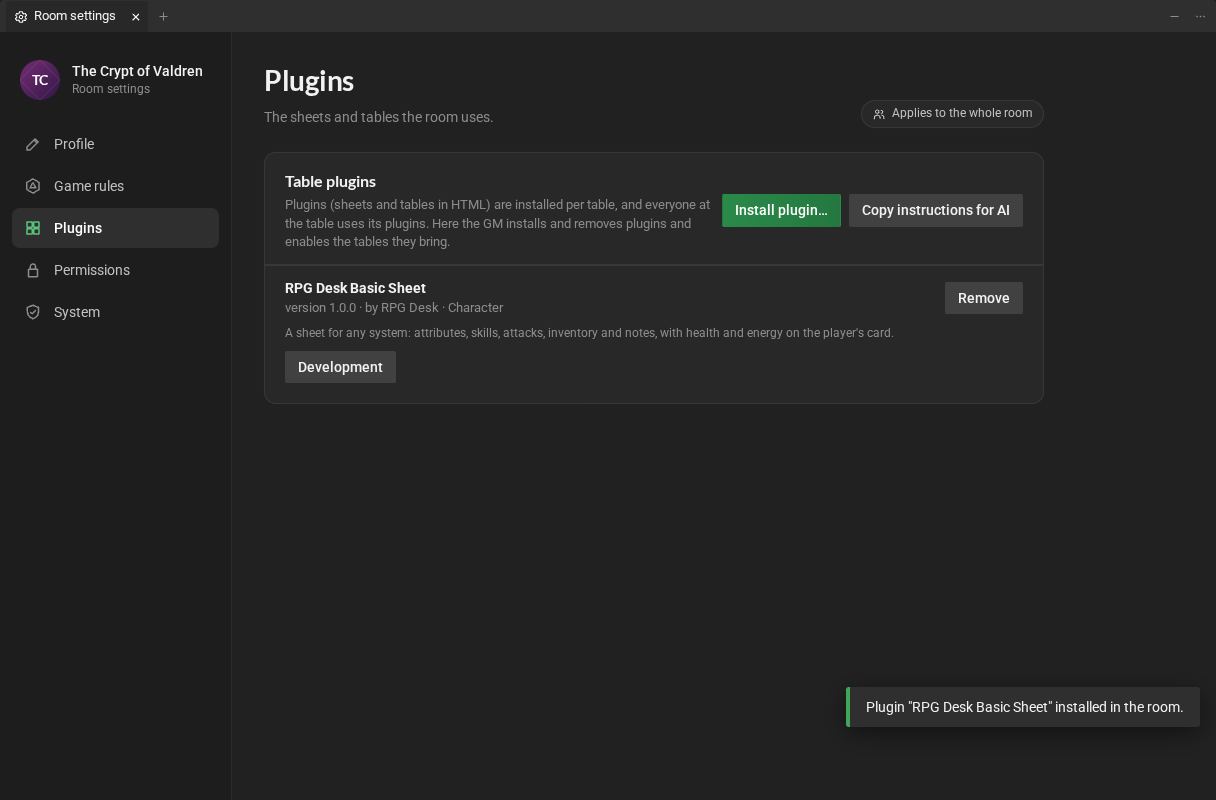
Section titled “Install”In a new room, the page only has the buttons:
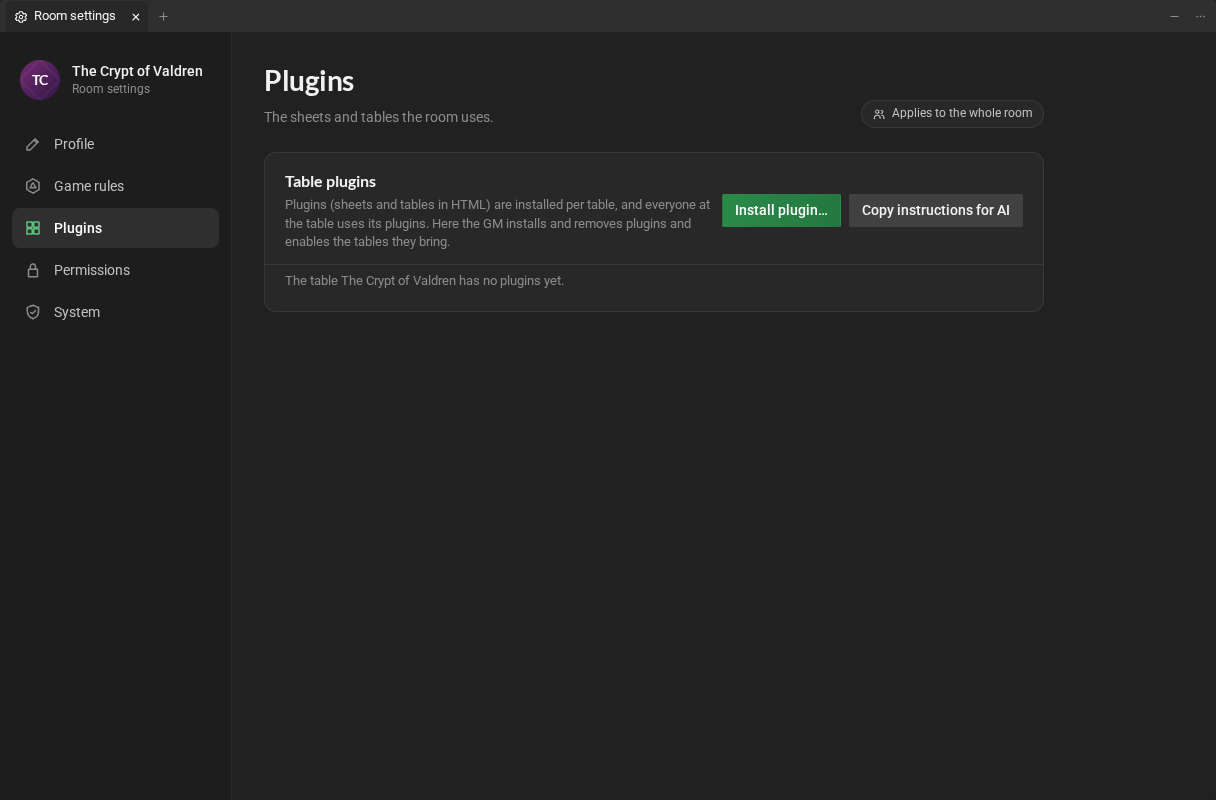
- Click Install plugin… (or, in the library, New item → Install plugin…).
- Choose the plugin’s file: an
.htmlor a.zip. - RPG Desk checks the file and shows what it brings. Click Install.
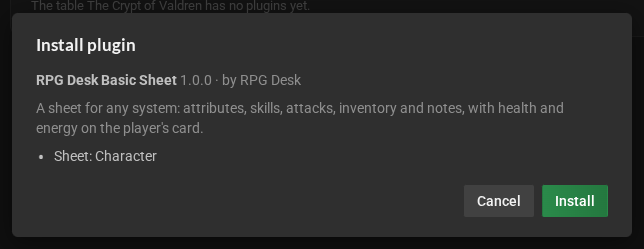
The dialog shows the name, version, author, description and the plugin’s sheets and tables. If it sends data out of the room (through webhooks), the dialog says so.
When the plugin has problems
Section titled “When the plugin has problems”RPG Desk checks every file before installing. Errors block the installation; warnings do not. Each problem says what is wrong and how to fix it.
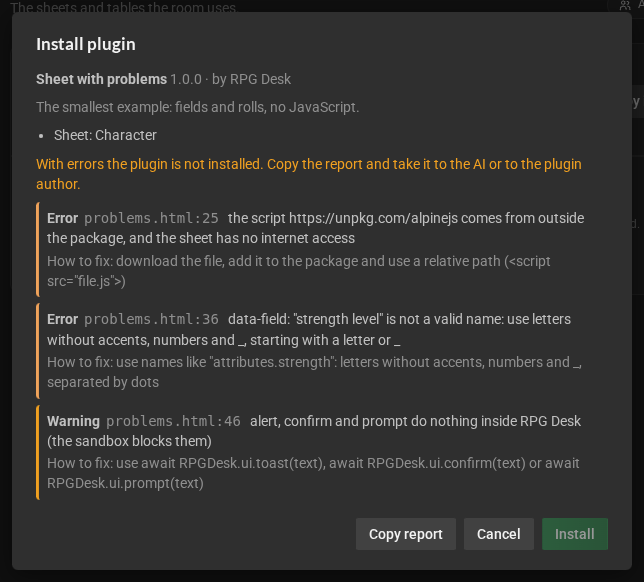
Copy report copies the whole list: paste it in the conversation with the AI that made the sheet (or send it to whoever made the plugin) and ask for the fix. The list of every problem is in The verifier.
Update
Section titled “Update”Install the new version of the same plugin: the button becomes Update and says from which version to which. Sheets keep their data. If the version is lower than the installed one, the dialog warns you.
Remove
Section titled “Remove”Remove, next to the plugin. RPG Desk first counts how many sheets use the plugin:
- the sheets are not deleted: they stay in the library, read-only, until the plugin is installed again;
- its active tables leave the room, with their data kept.
Room tables
Section titled “Room tables”A room table belongs to the whole room: it stays open as a tab for everyone, and only game masters change what is in it. Each plugin’s tables show up in … tables, below the plugin:
- Enable opens the table for everyone, as a tab that doesn’t come into view, so it takes nobody’s space. Clicking the tab’s name shows it.
- Disable closes it for everyone, but keeps the data: Enable again brings the table back as it was.
- Erase data, on a disabled table, erases the data for good.
The Combat tracker and the Macros come with every room and are not managed here: open them from the room menu → Tabs, like the other tabs.
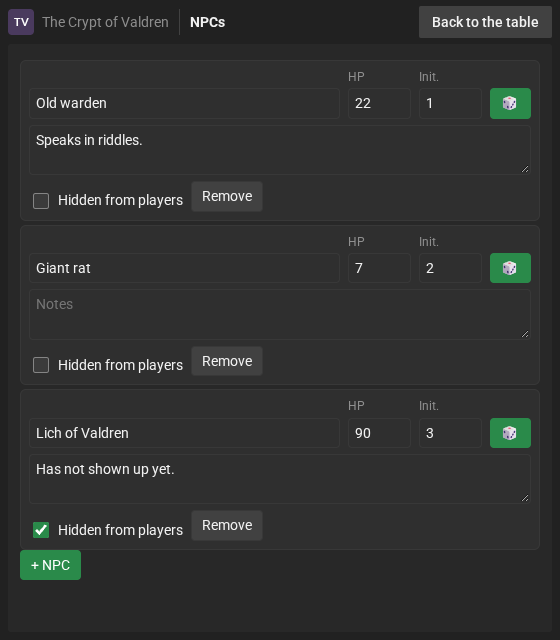
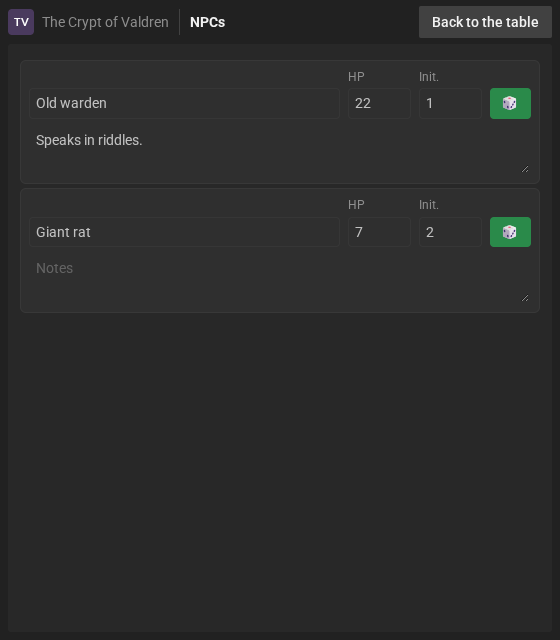
An NPC table, for example, as the game master and the players see it (the NPC marked as hidden does not even reach the players):