Create with an AI
You do not need to know how to code to have a sheet for your system. A chat AI (ChatGPT, Claude, Gemini…) writes the whole sheet, if it knows RPG Desk’s rules. Those rules are in the AI guide: you paste the guide at the start of the conversation and describe the sheet.
The AI guide
Section titled “The AI guide”Two ways to get the guide:
- In RPG Desk: inside your room, as game master, in Room settings → Plugins, click Copy instructions for AI. The guide goes to the clipboard, in RPG Desk’s language and with your server’s rpgdesk.js address.
- Here on the site: download the guide in English or in Portuguese, and paste the file’s content.

The guide explains to the AI the file format, the environment’s rules (no internet, libraries only inside the package), the attributes and the rpgdesk.js API, and includes a complete example.
The documentation for the AI
Section titled “The documentation for the AI”The guide sums up the rules. For the AI to look up the details (every attribute, the rpgdesk.js API, the verifier codes), this documentation also comes in text files made for AI, following the llms.txt standard:
llms-fichas.txt: the Creating sheets and Reference sections in a single file. It is what helps most to write sheets: if the AI accepts files, attach it to the conversation along with the guide.llms-full.txt: the whole documentation.llms.txt: the index, with a link to every page. If the AI can open web addresses, send it this one: it finds the rest from there.
Every page of the site also comes in Markdown: replace the slash at the end of the address with
.md (/en/fichas/campos/ becomes /en/fichas/campos.md).
Ask for the sheet
Section titled “Ask for the sheet”-
Open a new conversation with the AI.
-
Paste the guide and, right after it, describe the sheet. The more concrete, the better:
Make the sheet for my system, "Blades of the Backlands".- Identity: name, origin, trade, level (1 to 10) and a portrait.- Attributes: Strength, Agility, Mind and Courage, from 1 to 5. Each one with abutton that rolls 2d6 + the attribute.- Health: current and maximum (maximum = 10 + Strength x 2, computed). Healthgoes to bar 1 on the player's card.- Skills: a list with name and bonus, and a button that rolls 2d6 + bonus.- Inventory: a list with item and quantity.- A "GM" tab, for game masters only, with notes.Colors: sand and leather tones. It has to fit a narrow space. -
Ask for the whole
.htmlfile. Save the answer in a file with the.htmlextension (backlands.html).
Test it
Section titled “Test it”Open the file in the browser (double-click it). Outside RPG Desk, the sheet enters test mode: fill in the fields, click the roll buttons and look at the Log, on the band in the corner. Switch the Role to Another player and check that the fields lock. See Test and develop.
Something wrong or missing? Tell the AI what happened, in detail (“the Agility button rolls 1d20, not 2d6”; “the portrait does not show up”), and ask for the whole file again.
Install and fix
Section titled “Install and fix”Install it in Room settings → Plugins → Install plugin…. RPG Desk checks the file first:
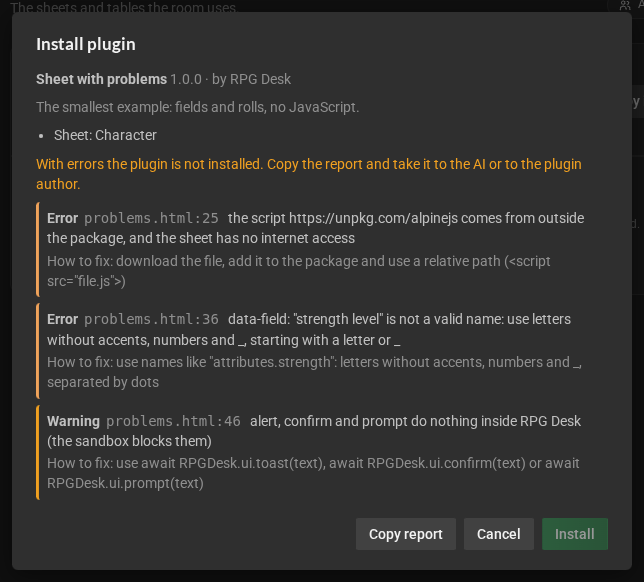
- If problems show up, click Copy report and paste it in the conversation with the AI: the report says what is wrong, on which line and how to fix it, in a text the AI understands.
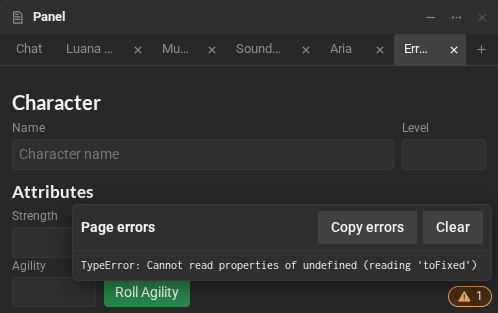
- Once installed, if the sheet shows a Page errors badge (the triangle in the corner), click it, then Copy errors, and paste that in the conversation too.